
Buttons Sensor Code and Lesson Plans.
There are 5 buttons on the Finch 2.0. There is the bigger black button on the bottom. it is used to turn on and off the robot. On the front of the Micro-bit there are two push buttons labeled “A” and “B” and galvonic touch sensor called “LOGO”. These are sensors that can be used to control the robot. On the back of the micro
BS1 Using buttons with motors
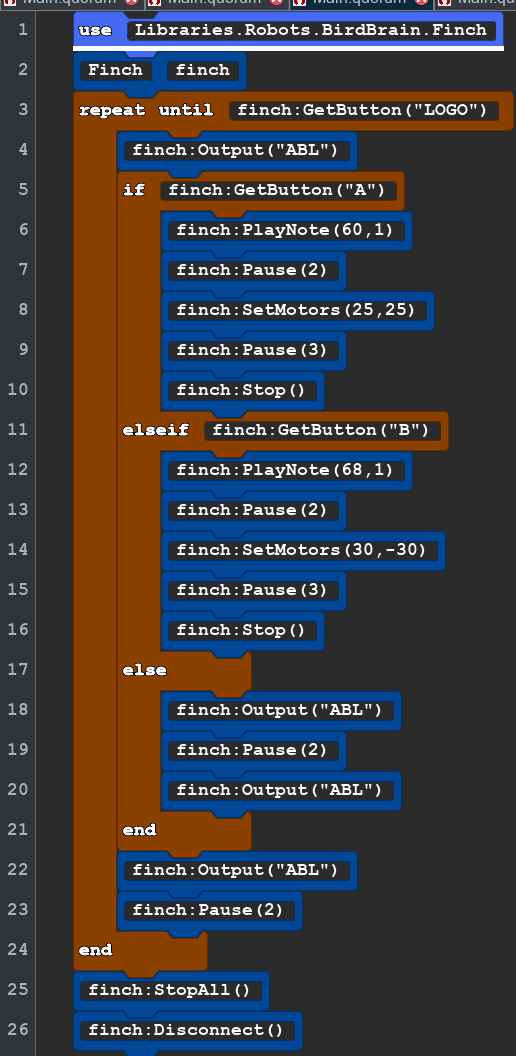 |
use Libraries.Robots.BirdBrain.Finch Finch finch repeat until finch:GetButton("LOGO") finch:Output("ABL") if finch:GetButton("A") finch:PlayNote(60,1) finch:Pause(2) finch:SetMotors(25,25) finch:Pause(3) finch:Stop() elseif finch:GetButton("B") finch:PlayNote(68,1) finch:Pause(2) finch:SetMotors(30,-30) finch:Pause(3) finch:Stop() else finch:Output("ABL") finch:Pause(2) finch:Output("ABL") end finch:Output("ABL") finch:Pause(2) end finch:StopAll() finch:Disconnect() |
|
BS2 Using button with Sound
| Block Code | Text Code for Copy and paste | |
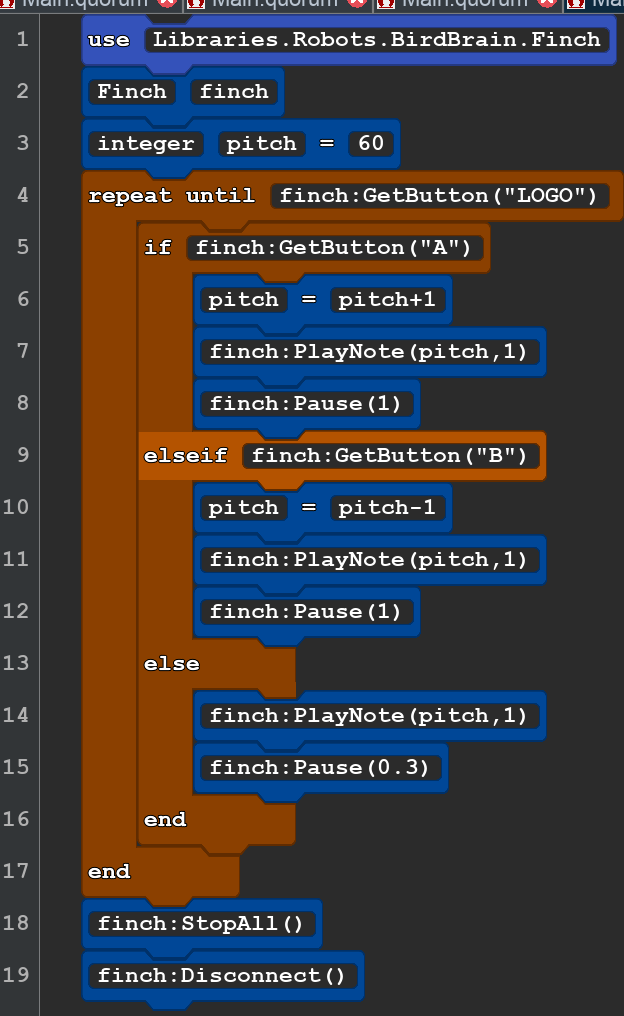 |
use Libraries.Robots.BirdBrain.Finch Finch finch integer pitch =60 repeat until finch:GetButton("LOGO") if finch:GetButton("A") pitch=pitch+1 finch:PlayNote(pitch,1) finch:Pause(1) elseif finch:GetButton("B") pitch=pitch-1 finch:PlayNote(pitch,1) finch:Pause(1) else finch:PlayNote(pitch,1) finch:Pause(0.3) end end finch:StopAll() finch:Disconnect() |
|
BS3 Buttons with Lights and Movement and Spoken Instrucations
| BS3 Buttons with Lights and Movement and Spoken Instrucations | Cut and Paste |
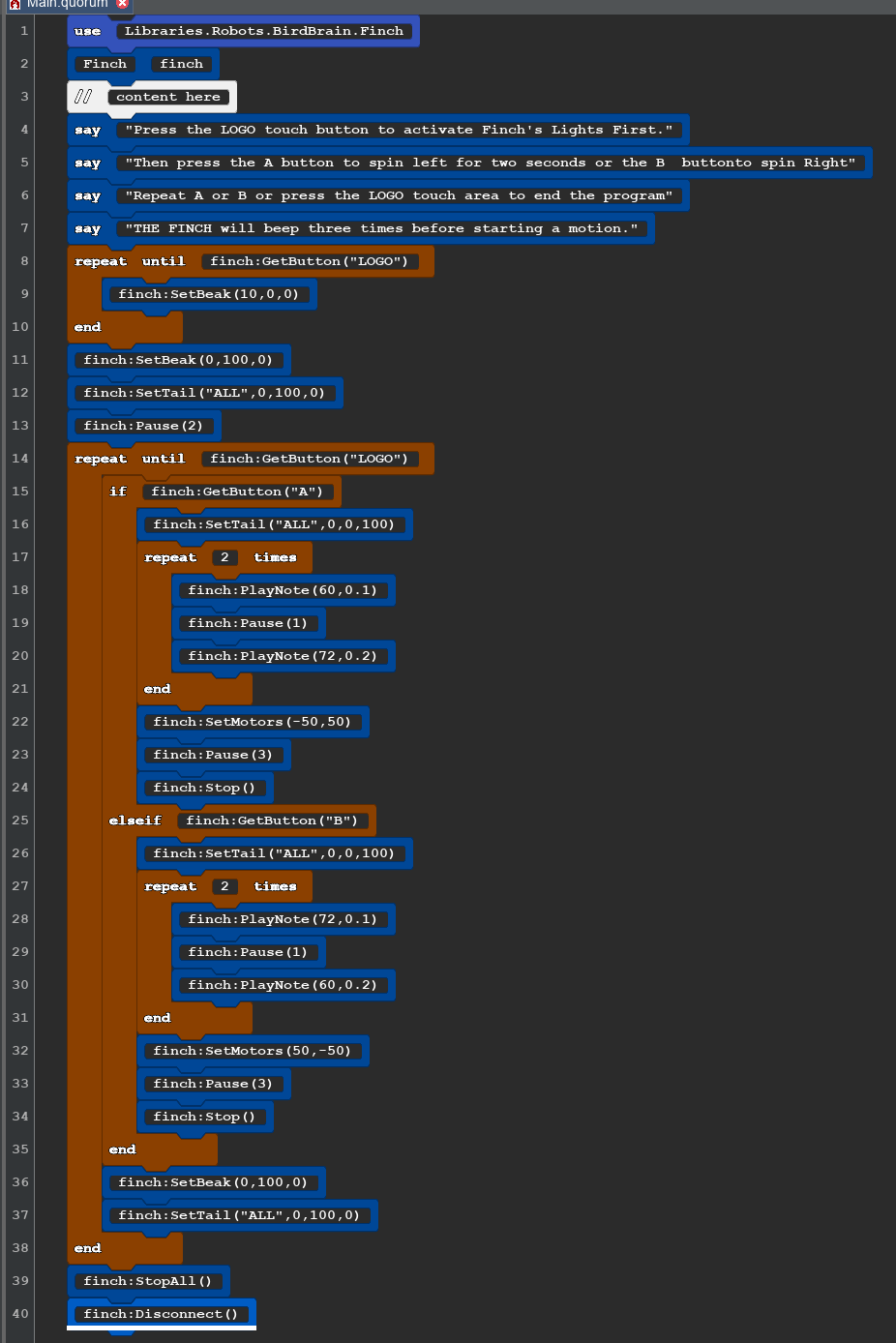 |
use Libraries.Robots.BirdBrain.Finch Finch finch //content here say"Press the LOGO touch button to activate Finch's Lights First." say "Then press the A button to spin left for two seconds or the B buttonto spin Right" say "Repeat A or B or press the LOGO touch area to end the program" say "THE FINCH will beep three times before starting a motion." repeat until finch:GetButton("LOGO") finch:SetBeak(10,0,0) end finch:SetBeak(0,100,0) finch:SetTail("ALL",0,100,0) finch:Pause(2) repeat until finch:GetButton("LOGO") if finch:GetButton("A") finch:SetTail("ALL",0,0,100) repeat 2 times finch:PlayNote(60,0.1) finch:Pause(1) finch:PlayNote(72,0.2) end finch:SetMotors(-50,50) finch:Pause(3) finch:Stop() elseif finch:GetButton("B") finch:SetTail("ALL",0,0,100) repeat 2 times finch:PlayNote(72,0.1) finch:Pause(1) finch:PlayNote(60,0.2) end finch:SetMotors(50,-50) finch:Pause(3) finch:Stop() end finch:SetBeak(0,100,0) finch:SetTail("ALL",0,100,0) end finch:StopAll() finch:Disconnect() |
| Lines 4-7 give spoken instructions. You can change Say to Display to show them on your computer screen. Pauses have been included to give the user time to move their hands after touching the button. You know have have found the LOGO touch button when all lights turn green. . |