
Shaking Sensor Code and Lesson
| SK1 Shaking Sensor Block Code | Text Code |
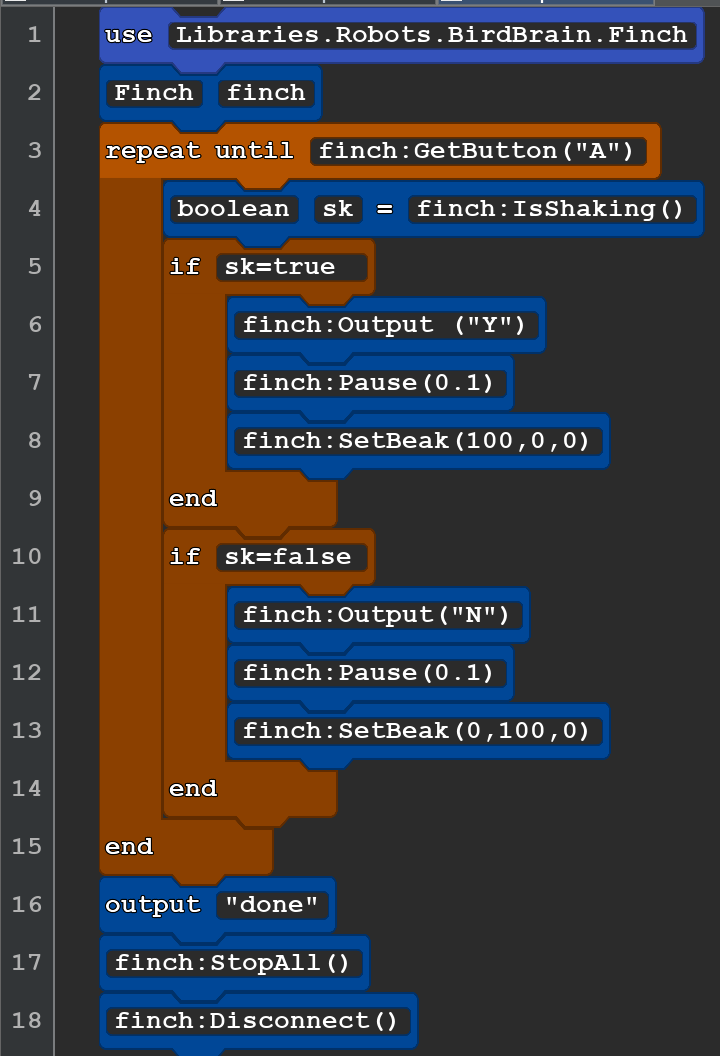 |
use Libraries.Robots.BirdBrain.Finch Finch finch repeat until finch:GetButton("A") boolean sk = finch:IsShaking() if sk=true finch:Output ("Y") finch:Pause(0.1) finch:SetBeak(100,0,0) end if sk=false finch:Output("N") finch:Pause(0.1) finch:SetBeak(0,100,0) end end output "done" finch:StopAll() finch:Disconnect() |
Once you send the code you can start shaking and then pause then repeat This puts the letter "y" on the display if the Finch is Shaking or "N" if it is not shaking!
to end the program press the A (left) button.