
LtS1 Light Sensor
There two light sensors. They are inside the body of the Finch. One looks Right, the other Left.
It will return values 0 too 100 from no light to bright.
| BLOCK CODE LtS1 | Copy and Paste Code |
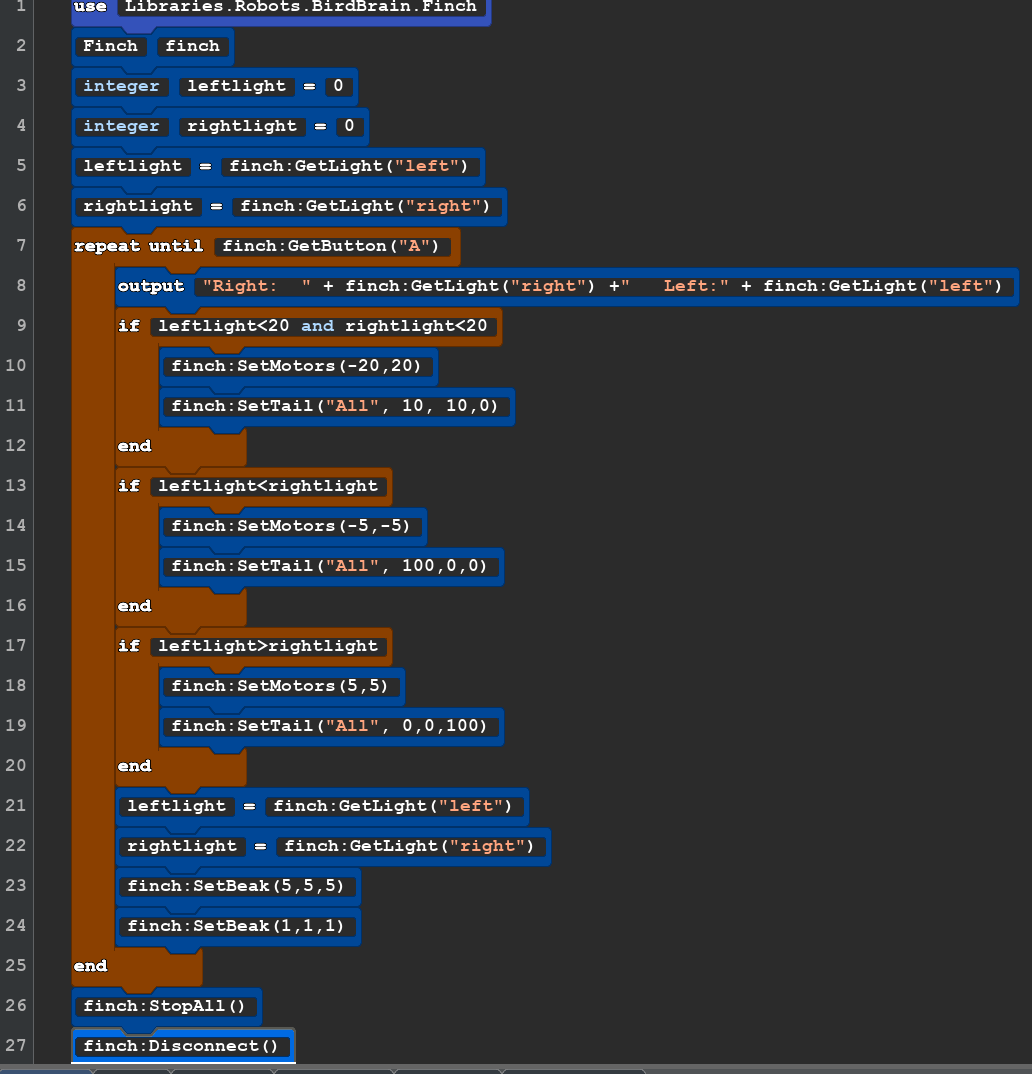 |
use Libraries.Robots.BirdBrain.Finch Finch finch integer leftlight = 0 integer rightlight = 0 leftlight=finch:GetLight("left") rightlight=finch:GetLight("right") repeat until finch:GetButton("A") output "Right: " + finch:GetLight("right") +" Left:" + finch:GetLight("left") if leftlight<20 and rightlight<20 finch:SetMotors(-20,20) finch:SetTail("All", 10, 10,0) end if leftlight<rightlight finch:SetMotors(-5,-5) finch:SetTail("All", 100,0,0) end if leftlight>rightlight finch:SetMotors(5,5) finch:SetTail("All", 0,0,100) end leftlight=finch:GetLight("left") rightlight=finch:GetLight("right") finch:SetBeak(5,5,5) finch:SetBeak(1,1,1) end finch:StopAll() finch:Disconnect() |
| You will need a medium area that can be darkened and one ormore light sousces. They could be strong flash lights or table lamps. Set the robot in the middle of the area and turn off the lights. Start the code and the robot should turn on some of it's lights and spin in place. using the light soucrce shine the on the left side of the robot to move backwards and the right side. | |