
Make sound and Music with your Finch.
| OS1 All the Notes | Text to Copy | Notes |
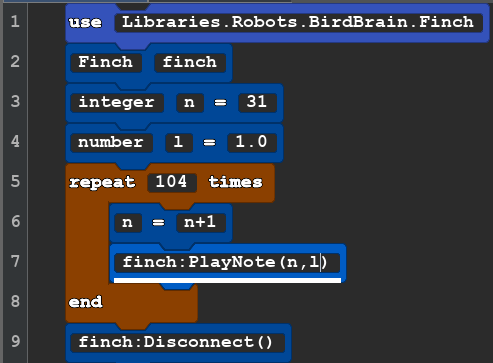 |
use Libraries.Robots.BirdBrain.Finch Finch finch integer n=31 number l=1.0 repeat 104 times n=n+1 finch:PlayNote(n,l) end finch:Disconnect() |
The sound of the Finch is not loud or high quality. The Finch 2.0 understands MIDI (Musical Instrument Digital Interface) and the first perimeter tells how high or low a note will be. This integer should be between 32 and 135. The second parameter is for how long the note should be in time. In line 4 and line 7 there is a variable named "l" (lower case L) It looks a lot like the number 1. Perhaps we should have used the "d" for duration. There are 104 different notes that the robot can play that's why we repeated 104 times. |
Next we have the Robot Play a "C" scale starting on middle C. Middle C is MIDI number 60.
| OS2 C Scale | Text to Copy | Notes |
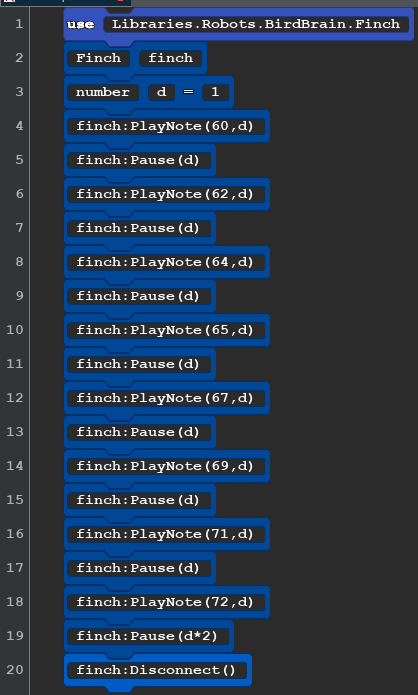 |
use Libraries.Robots.BirdBrain.Finch Finch finch number d=1 finch:PlayNote(60,d) finch:Pause(d) finch:PlayNote(62,d) finch:Pause(d) finch:PlayNote(64,d) finch:Pause(d) finch:PlayNote(65,d) finch:Pause(d) finch:PlayNote(67,d) finch:Pause(d) finch:PlayNote(69,d) finch:Pause(d) finch:PlayNote(71,d) finch:Pause(d) finch:PlayNote(72,d) finch:Pause(d*2) finch:Disconnect() |
The device that makes the sound on the finch robot is very small, it is more like a buzzer than it would be like a speaker. You may notice that some of the notes are louder, and some softer, Different Finch robots will have slightly different loudness levels on any particular note. In the instructions from the company that makes the finch it says that the duration of 1 should be one second. We have found that this is not the case and the duration is much shorter. For that reason, we have inserted a pause with the variable d. You can change variable d to make the notes have different duration. Here is a chart of all the MIDI NoteNames on the Finch! Finch MIDI codes. |
Now we will make the robot perform a chromatic scale. Let's start on the C above middle C (MIDI 72) and go 13 half steps ending on the next higher c. to go higher you will want to increase by just one MIDI number. Hint: The first code in sound OS1 played the whole chromatic scale that is possible to play on the Finch,
Below is a possible solution.
| OS3 Chromatic Scale | Text to Copy | |
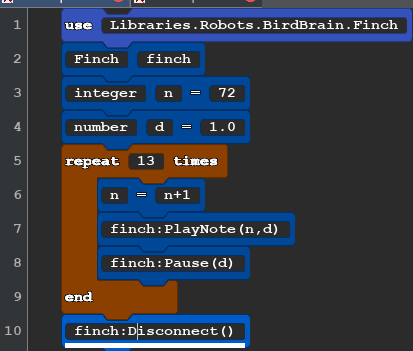 |
use Libraries.Robots.BirdBrain.Finch Finch finch integer n=72 number d=1.0 repeat 13 times n=n+1 finch:PlayNote(n,d) finch:Pause(d) end finch:Disconnect() |
There are 12 different sounds in the chromatics scale. The 13th is a repeat of the first note name one octave higher. 72 is the midi note for the C above middle C. |
| SO4 Beeps | ||
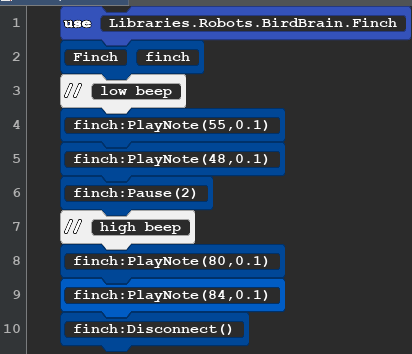 |
use Libraries.Robots.BirdBrain.Finch Finch finch //low beep finch:PlayNote(55,0.1) finch:PlayNote(48,0.1) finch:Pause(2) //high beep finch:PlayNote(80,0.1) finch:PlayNote(84,0.1) finch:Disconnect() |
You can use the PlayNote() to insert beeps in to your robot programs. experiment with different midi numbers to find the ones that sound best to you. Every Finch robot has it's voice. |
You can find more music codes in the advanced lessons.