
Sound (listening) code and Lessons
The finch has a sensor like a microphone. The sensor can determine how loud the noise level is around the robot.
SS1 Display the Volume Sound Sensor
| Block Code | Cut and Paste Text |
|
|
use Libraries.Robots.BirdBrain.Finch |
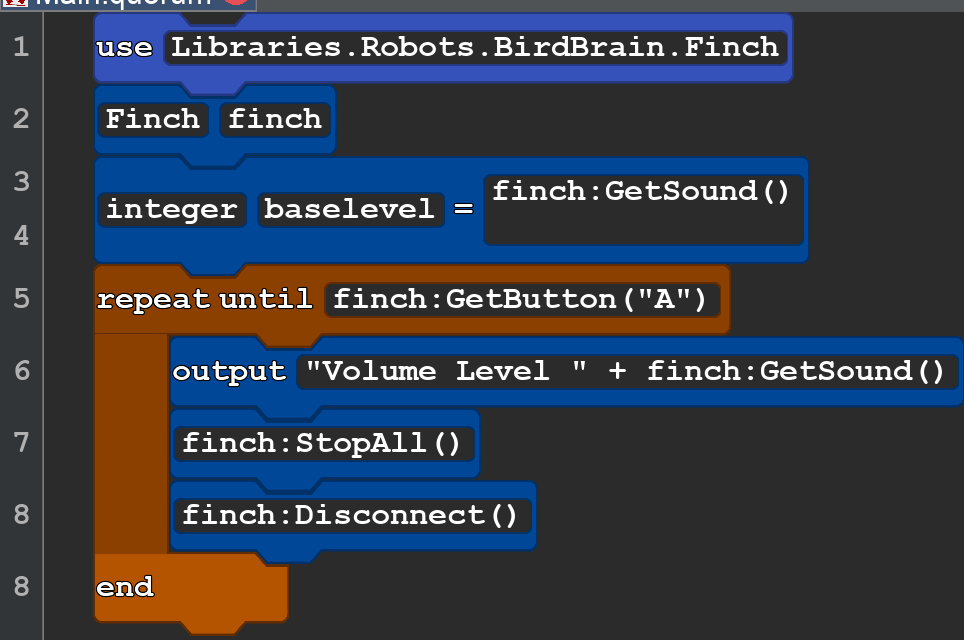
The code above will send the current should volume to the console on your computer. The range is 0-255 . zero is the lowest sound level and 255 is the loudest it can measure. clapping near the robot will reach the 255 level.
SS2 Sound Sensor Clap to make the robot move
| Block Code | Cut and Paste Text |
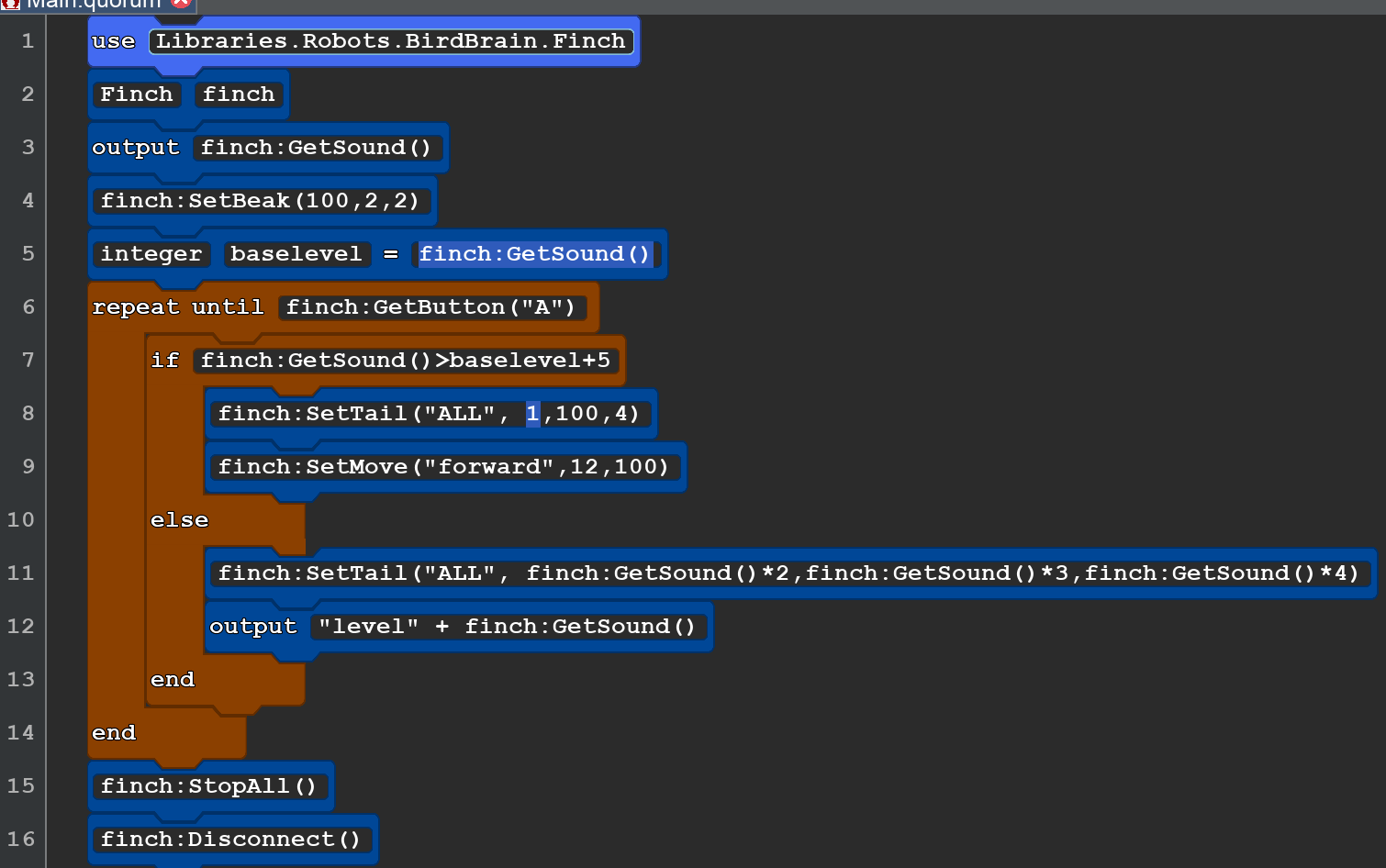 |
use Libraries.Robots.BirdBrain.Finch Finch finch output finch:GetSound() finch:SetBeak(100,2,2) integer baselevel = finch:GetSound() repeat until finch:GetButton("A") if finch:GetSound()>baselevel+5 finch:SetTail("ALL", 1,100,4) finch:SetMove("forward",12,100) else finch:SetTail("ALL",finch:GetSound()*2,finch:GetSound()*3,finch:GetSound()*4) output "level " + finch:GetSound() end end finch:StopAll() finch:Disconnect() |
| SS3 Sound in to light |
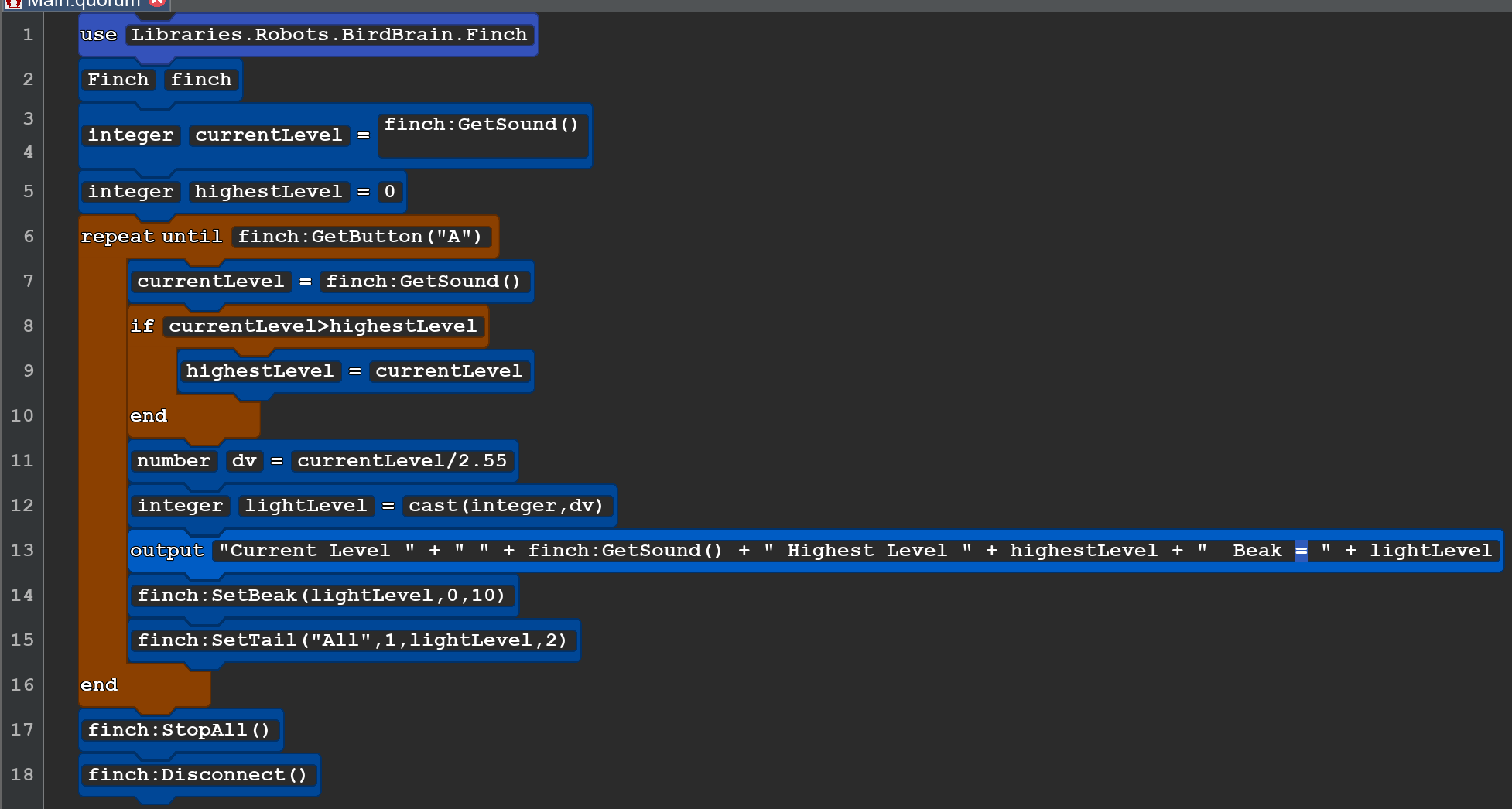 |
| use Libraries.Robots.BirdBrain.Finch Finch finch integer currentLevel = finch:GetSound() integer highestLevel=0 repeat until finch:GetButton("A") currentLevel=finch:GetSound() if currentLevel>highestLevel highestLevel=currentLevel end number dv = currentLevel/2.55 integer lightLevel = cast(integer,dv) output"Current Level " + " " + finch:GetSound() + " Highest Level " + highestLevel + " Beak = " + lightLevel finch:SetBeak(lightLevel,0,10) finch:SetTail("All",1,lightLevel,2) end finch:StopAll() finch:Disconnect() |