
The accelerometer measures any force that causes acceleration in the x-, y-, or z-direction. Because the Finch is usually moving pretty slowly, the accelerometer mostly measures the acceleration due to gravity. When the Finch is sitting on a level surface, the acceleration due to gravity points through the base of the Finch, along the positive z-axis. If you instead position the Finch so that its beak is pointing at the ground, the acceleration due to gravity points along the positive x -axis. The accelerometer enables you to measure these differences.
AS Accelerometer Sensor Snap Shot
| Block Code | Copy and Paste Code |
|
|
use Libraries.Robots.BirdBrain.Finch Finch finch output "Press the A button each time you to want a reading" output "Press the B button to end program" repeat until finch:GetButton("B") repeat until finch:GetButton("A") end finch:SetBeak(0,100,0) output "X Acceleration: " + finch:GetAcceleration("x") output "Y Acceleration: " + finch:GetAcceleration("y") output "Z Acceleration: " + finch:GetAcceleration("z") finch:Pause(0.2) finch:StopAll() repeat until finch:GetButton("A") //pause end end finch:Disconnect() |
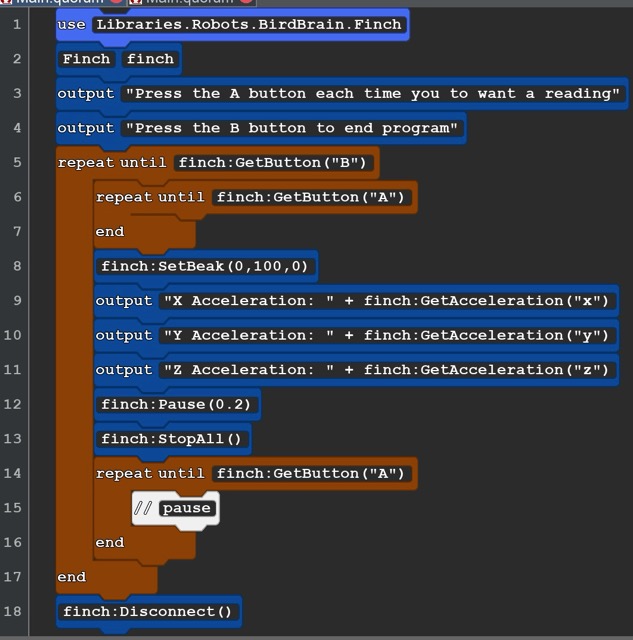
Howhis code works. Run the code. The robot is waiting for you to press the A or B button. The A button with display the XYZ accelertation at the moument you press it in in the computer console. This lets you repoistion the Finch. Try diferent poses like beak straight up or down, Try ttiping the Finch left or right till the wing is touching the ground. You might want to make a chart of the readings in those possitions. You out put can be posative or negative. The posative number show that accelration is increasing and negative number show the deacceleration or slowing down.
AS2
 |
| Copy and Paste |
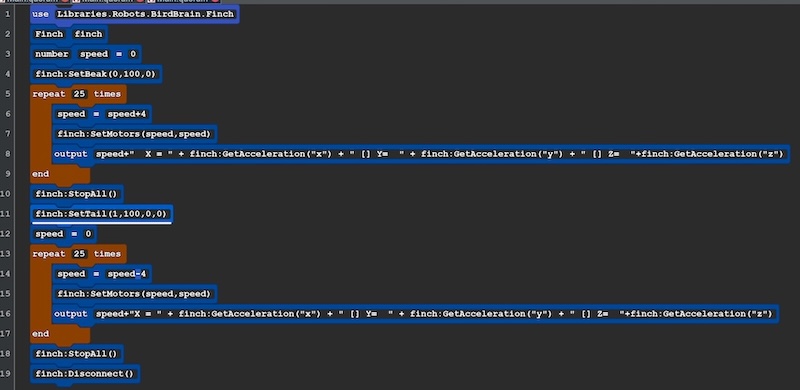
| use Libraries.Robots.BirdBrain.Finch Finch finch number speed =0 finch:SetBeak(0,100,0) repeat 25 times speed=speed+4 finch:SetMotors(speed,speed) output speed+" X = " + finch:GetAcceleration("x") + " [] Y= " + finch:GetAcceleration("y") + " [] Z= "+finch:GetAcceleration("z") end finch:StopAll() finch:SetTail(1,100,0,0) speed=0 repeat 25 times speed=speed-4 finch:SetMotors(speed,speed) output speed+"X = " + finch:GetAcceleration("x") + " [] Y= " + finch:GetAcceleration("y") + " [] Z= "+finch:GetAcceleration("z") end finch:StopAll() finch:Disconnect() |
Notes The Finch will move faster and faster, Stop, then move backwards faster and faster. The data will be collected on the console. Rember that the acceleration due to gravity would be masured on the Z axis as a negative number. |