
Light
Light Sensor
Distance
Distance Sensor Lessons and Code
I will include information here about ultrasonic sensors that are used here to find distances and how animals use this. Paste this lesson from EV3 Site.
New in these lessons: finch:GetDistance(), The robot will return an integer between 0 and 255. These are centimeters. After 255 Centimeters (2.55 meters) all we know is that the distance is greater than that. That is the limit of this sensor.
DS 1 Distance displayed on Console.
| Block Code | Test Code Cut and Paste | Notes |
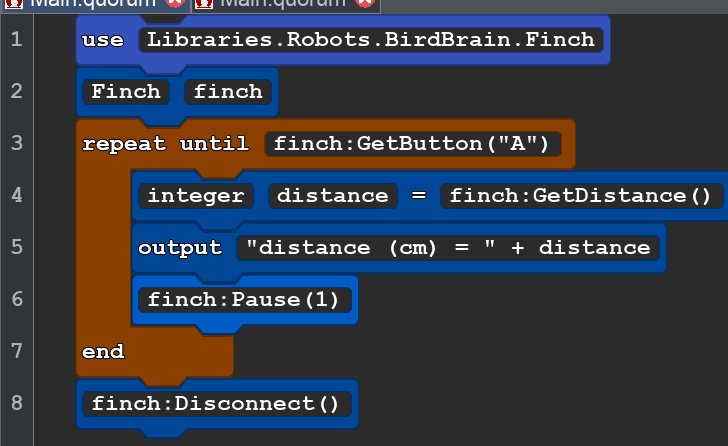 |
use Libraries.Robots.BirdBrain.Finch Finch finch repeat until finch:GetButton("A") integer distance = finch:GetDistance() output "distance (cm) = " + distance finch:Pause(1) end finch:Disconnect() |
We created an integer variable with the name distance and set it equal to the distance sent by finch:GetDistance(). |
DS2 ADDS MOTORS TO THE DISTANCE SENSOR
| Block Code | Test Code Cut and Paste | Notes |
 |
use Libraries.Robots.BirdBrain.Finch |
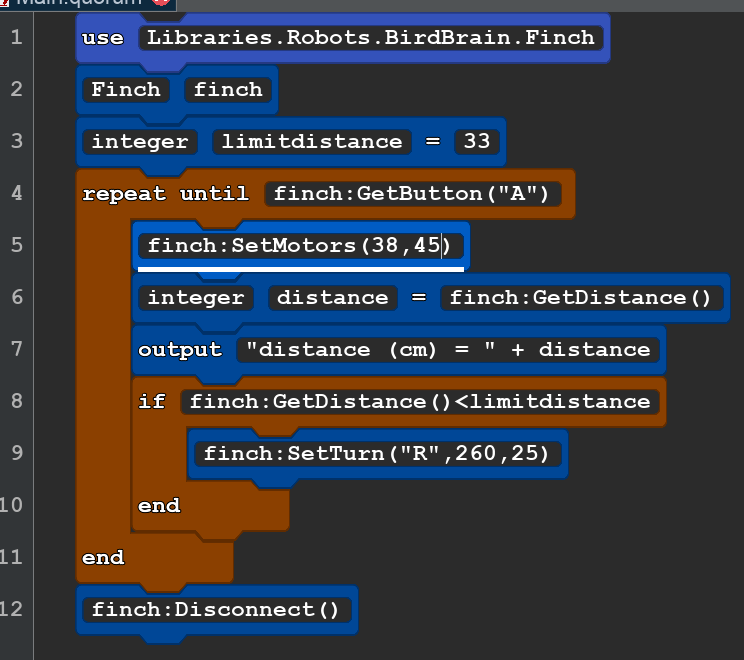
Our motors are set to move in a curve until it is within 33cm away from the beak of the robot. It is sensing directly in front of the beak. At 33cm the robot stops moving forward and turn 260 degrees to the right then resumes the program. |
DS3 Adds Lights to the distance sensor
| Block Code |
 |
|
Text Code Copy and Paste |
| use Libraries.Robots.BirdBrain.Finch Finch finch integer limitdistance = 32 repeat until finch:GetButton("A") finch:SetMotors(33,45) finch:SetTail("ALL",0,100,0) if finch:GetDistance()<limitdistance finch:SetTail("ALL",100,0,0) finch:SetTurn("R",225,100) end if finch:GetDistance()>limitdistance and finch:GetDistance() <limitdistance*2 finch:SetTail("ALL",50,0,100) end end finch:StopAll() finch:Disconnect() |
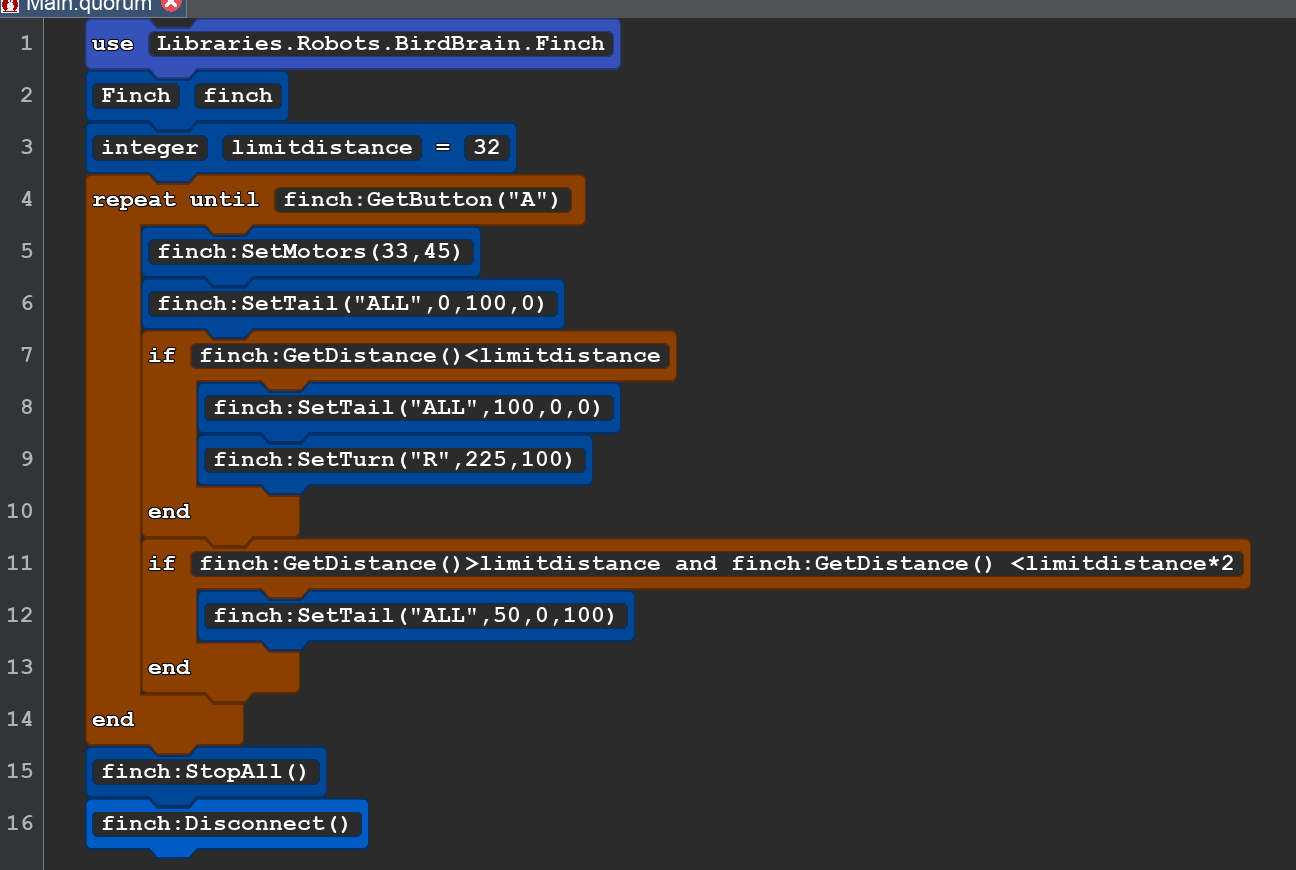
In this program we add Lights. Green when we have a clear path ahead. Blinking Green and Blue when we are between 33cm and 66cm and red light 33cm or lesson while we spinning to avoid hitting an object.
DS4 Distance Sensor with Motors, Lights, Sound, and some random numbers.
| BLOCK CODE | COPY AND PASTE CODE |
 |
use Libraries.Robots.BirdBrain.Finch use Libraries.Compute.Random Finch finch Random random integer limitdistance = 32 repeat until finch:GetButton("A") finch:SetMotors(random:RandomInteger(5)-3+167,167) finch:SetTail("ALL",0,100,0) if finch:GetDistance()<limitdistance finch:SetTail("ALL",100,1,1) finch:SetTurn("R",180,150) finch:PlayNote(72,0.5) finch:PlayNote(80,0.5) end if finch:GetDistance()>limitdistance and finch:GetDistance() <limitdistance*3 finch:SetTail("ALL",50,0,100) finch:PlayNote(60,0.2) finch:SetMotors(random:RandomInteger(5)-3+15,15) end end finch:StopAll() finch:Disconnect() |
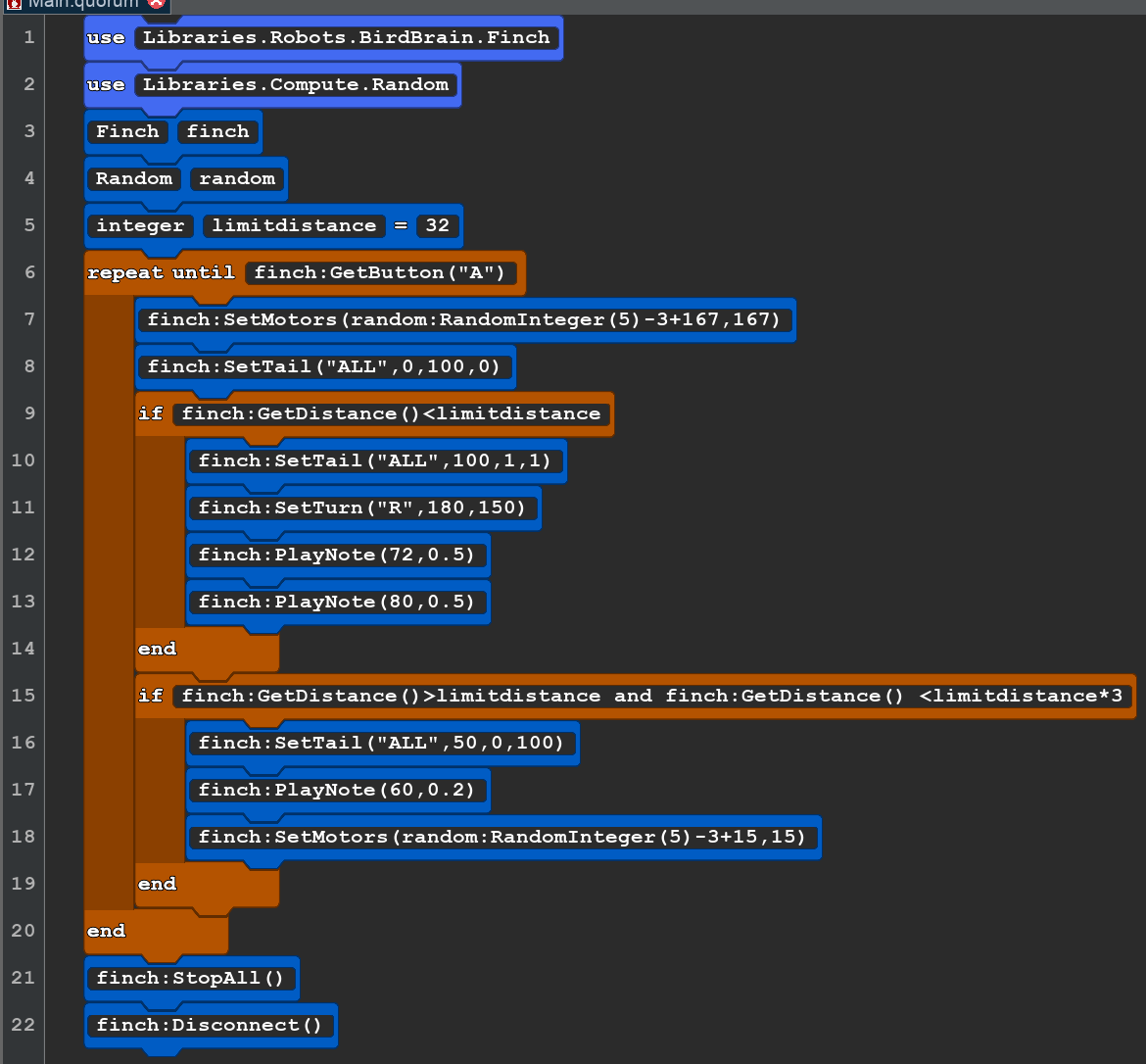
The random numbers are used to create a little left and a little right motion along a straight line. This will help the robot dislodge itself if it gets into a setting that isn't straightforward to its motion.
Sensor Lessons
- Distance (4 Lessons on 1 web page)
- DS1 Distance displayed on Console.
- DS2 ADDS MOTORS TO THE DISTANCE SENSOR
- DS3 Adds Lights to the distance sensor
- DS4 Distance Sensor with Motors, Lights, Sound, and some random numbers.
- Temperature ( 3 Lessons on 1 web page)
- TS1 Show temperature on the console.
- TS2 Use Temp. to changer the TailLights
- TS3 Show the temperature in Fahrenheit
- Shaking (1 Lesson)
- SK1 Yes or No (Boolen)
- Buttons (3 Lessons on one webpage)
- BS1 Using buttons with motors
- BS2 Using button with Sound
- BS3 Buttons with Lights, Movement and Spoken Instrucations
- Compass (1 calibration and 2 Lessons)
- Calibrate Compass Sensor with BlueBird Connector
- CS1 Simple Compass
- SC2 Advanced
- Acceleration
- AS1 Accelration Sensor snapshot
- AS2 Accelration forward and back.
- Orientation
- OR1 Display orientation
- OR2 orientation shown with lights
- Sound Listening
- SS1 Display the Volume Sound Sensor
- SS2 Sound Sensor Clap to make the robot move
- SS3 Sound in to light
- Magnetic
- MS1 Shows the magnetic field strength in three dimensions
- MS2 shows the magnetic field strength with motion
- LnS1-Testing Line Sensor
- LS1 Testing the infrared senson and getting black and shite values
- LS2 Follow a black tape Line (Needs Testing)
- Light
- LTS 1 Control the robot with a light source
- LTS 2 (Dancing in the Dark) needs testing